Query
See example queries with parameters and query settings for customizing Splunk queries to Hydrolix.
Quickstart sample query⚓︎
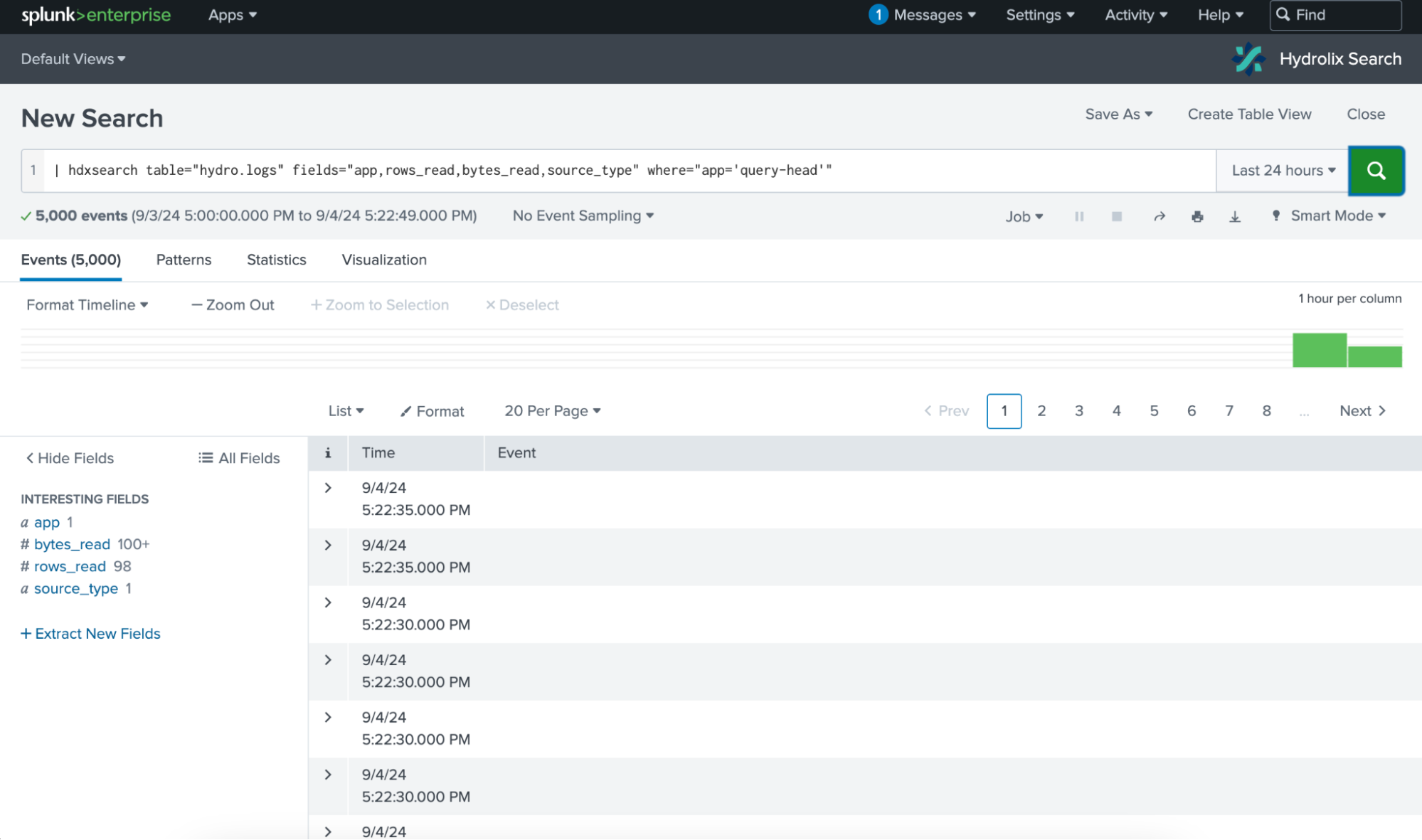
-
Create the SPL query:
This generates a SQL query for a cluster using the default LIMIT clause.
-
Replace
my_project.my_tablewith the target Hydrolix project and table:| hdxsearch table="my_project.my_table" fields="*" -
Use the time picker to narrow large query results by time range. The LIMIT clause caps the row count.
Hydrolix Search for Splunk doesn't support Splunk's real-time UI. The time picker only provides relative options.
Hydrolix Search for Splunk streams query results into the Splunk pipeline as they arrive, so rows begin appearing in Splunk before the full query completes. This server-side streaming behavior is enabled when the connected Hydrolix cluster is version 6.0 or later.
Query parameters⚓︎
The hdxsearch command accepts the following parameters:
| Parameter Name | Type | Required | Description |
|---|---|---|---|
table |
string (fieldname) | Yes | The Hydrolix table to query in the form project.table. |
fields |
list of strings | Conditional | A comma-delimited list of fields to retrieve from the table, or *, which returns all the fields. Either fields or raw must be specified. Must include a timestamp column. * isn't supported for summary table queries; specify fields explicitly. |
raw |
string (fieldname) | Conditional | The name of a field whose raw value should be sent to the "Event" column of the SPL query output. Either fields or raw must be specified. |
where |
string | No | A SQL WHERE statement to filter the results of the query. Defaults to no filter. |
time |
string (fieldname) | No | The name of a field in table to treat as the event timestamp. Defaults to the primary key of the table. |
limit |
integer | No | Maximum number of rows to retrieve from the table or 0 to retrieve all rows. Defaults to the limit value configured for the cluster being queried. |
cluster |
string (fieldname) | No | The name of the Hydrolix cluster to query. Defaults to the configured default cluster. |
nocache |
boolean | No | If set to true, query results will be excluded from caching. Defaults to false to take advantage of caching by using Hydrolix query caching. |
comment |
string | No | A human-readable comment forwarded as hdx_query_comment on the Hydrolix query. Useful for attributing dashboard or alert traffic in Hydrolix query telemetry. |
Limiting fields improves performance
Hydrolix is a columnar data store. Limit the number of fields returned by the query to accelerate execution and reduce compute resources. Specify only the required columns instead of using wildcards in the fields parameter.
Example queries⚓︎
Use hdxsearch parameters to shape query output.
-
Return all fields from
my_project.my_table, bounded by the Splunk UI's time picker and the default row limit of 5,000.Return All Fields -
Return the
reqHostandreqMethodcolumns frommy_project.my_table.Return Specific Fields -
Bypass the 5,000-row limit and return rows where the
reqHostfield ismy.hostname.comand thereqMethodisPOST. Thewhereparameter passes its value to Hydrolix as an SQLWHEREclause.Return Filtered Rows -
Aggregation isn't supported in
SELECTstatements. Use Splunk's SPL to count the number of rows, andlimit=0to include all data in the aggregation. -
Output the raw value of the
UAfield into the Event column of the SQL query result.Return Raw Field Value -
Run a query on a named cluster. This requires a defined cluster in the Hydrolix Search app with the name SecondCluster.
Query Named Cluster
Summary table queries⚓︎
Hydrolix Search for Splunk can query summary tables in addition to raw data tables. The SPL interface works the same way as for raw tables, but the SQL translation differs: Hydrolix Search infers which fields are dimensions and which are metrics, then generates GROUP BY and HAVING clauses as needed.
One restriction applies: the fields="*" wildcard isn't supported for summary table queries. Specify fields explicitly.
Example query⚓︎
| Summary Table Query | |
|---|---|
This produces SQL equivalent to:
| SQL Equivalent | |
|---|---|
Default query settings⚓︎
Query settings in Hydrolix clusters implement configurable limits to protect cluster resources and the applications receiving results.
Query options⚓︎
Hydrolix Search for Splunk uses the following default value for query caching with each query.
| Query option | Value |
|---|---|
use_query_cache |
true |
You can use the SQL SETTINGS clause when executing queries to disable this default query option or to use additional options.
LIMIT clause⚓︎
Hydrolix Search for Splunk attaches a LIMIT 5000 clause to each query by default. This limit protects query infrastructure from unbounded queries. Adjust it in the cluster setup by setting Default result count limit, or override it per query using the limit parameter.