Options Precedence
Understand how the query system handles query options set on projects, tables, or received queries.
The query head processes all query options from all sources and applies precedence rules to set the options for each query.
There is no composition of settings, and options with a higher precedence replace prior settings.
Precedence table⚓︎
| Precedence | Source of option | HTTP query API | ClickHouse Native | ClickHouse HTTP | MySQL | Apache Spark |
|---|---|---|---|---|---|---|
| lowest | System defaults | ✓ | ✓ | ✓ | ✓ | ✓ |
| Org, project, and table | ✓ | ✓ | ✓ | ✓ | ||
| HTTP query headers | ✓ | |||||
| HTTP query parameters | ✓ | |||||
| highest | SQL SETTINGS clause | ✓ | ✓ | ✓ | ✓ |
Query options sources⚓︎
Query options can arrive from several sources.
System defaults⚓︎
System defaults are hard-coded. See these values in Table of query options.
Organization, project, and table query options⚓︎
Query options can be set at any level of the Config API hierarchy. See Projects and Tables for more details on the relationships between org, project, and table.
See the Config column in the Table of Query Options for query options available from this source.
These configuration settings are managed by a cluster administrator. See also Set query options using the API and Set query options using the UI.
HTTP query headers and parameters⚓︎
The HTTP Query API understands HTTP headers or query parameters with query options. These are sent by the client.
See the Query column in the Table of Query Options for query options accepted using this mechanism.
SQL SETTINGS clause⚓︎
For SQL dialects that support the SETTINGS clause, all Hydrolix query options are available. These are a part of the SQL query.
See the Settings column in the Table of Query Options for query options accepted using this mechanism.
Use query options⚓︎
Query application clients can use three mechanisms to send query options along with their queries.
Use HTTP query headers⚓︎
Send query options in the header X-Hdx-Query-Settings.
Each header can contain multiple comma separated key=value query options. Don't add a space after each comma separator.
When the query head receives duplicate HTTP headers (allowed in the HTTP specification) it reads all headers and uses the first query option encountered.
In this duplicate header GET example, hdx_query_output_format is set to tsv and the hdx_query_label is set to also-present.
Detailed example of multiple HTTP headers
- This first HTTP header contains
hdx_query_output_formatand the valuetsvis received and used. - The second HTTP header is also accepted. The
hdx_query_output_formatis ignored because the query option is already set. The new query optionhdx_query_labelis respected and the labelalso-presentis added to metrics. - This illustrates the output format reported by the query head, which is
tsv.
Use HTTP query parameters⚓︎
Send HTTP query parameters using the query option name. When a request includes the same query option setting in both HTTP headers and parameters, the latter will win.
The server responded with the tsv format.
The server responded with the tsv format.
The server responded with the CSVWithNames format.
Use SQL SETTINGS clause⚓︎
Use single quotes around string arguments, for example hdx_query_output_format = 'JSON'. Separate multiple query options using a comma ,.
In this example, we're writing the results of the query into the storage location and providing a comment that the user generating this query is Rita Miller.
Query options SETTINGS only work for SELECT and INSERT_INTO statements
Set query options using the API⚓︎
Use the following Config API calls, one for each level of the hierarchy
Set query options using the UI⚓︎
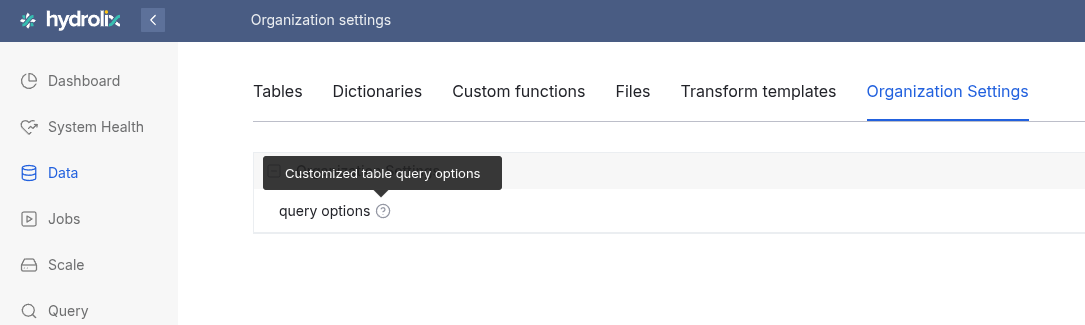
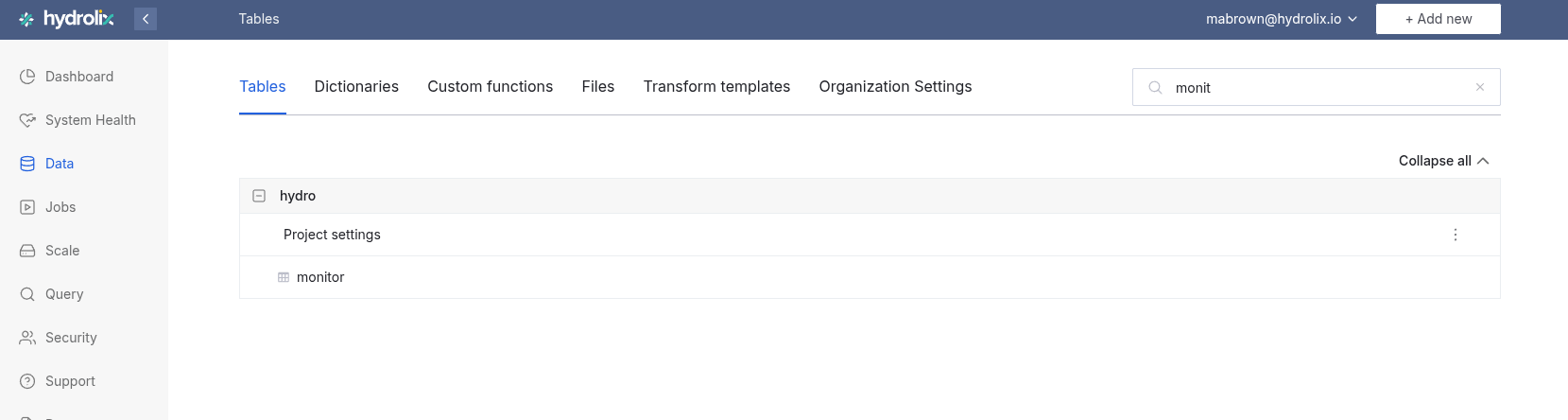
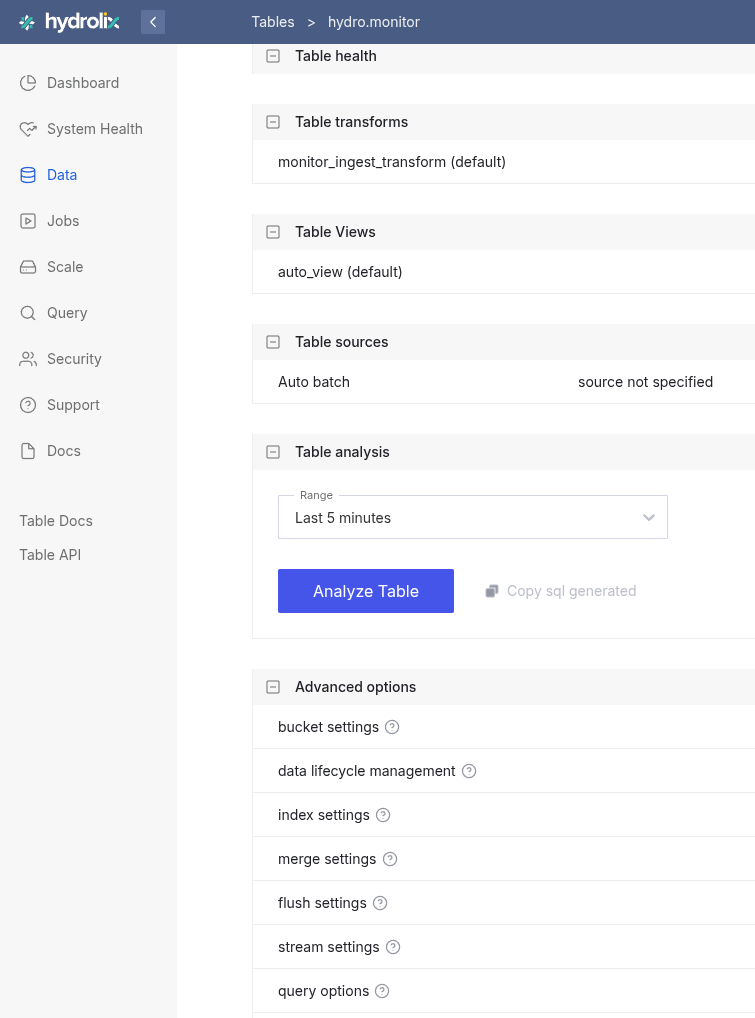
The Query options flyout menu is found in different places, depending on the place in the hierarchy.
For organization, visit Data > Organization Settings.
For project, visit Data > Tables and use the + to expand a project.
For table, visit Data > Tables, select a table, and scroll to the Advanced options section of the table detail page.
Adjust the query options values
- Click the vertical ellipsis (⋮) and select Edit for an org or table. Select Query options if it's a project.
- Change query option values in the left-side flyout.
- Scroll to the bottom of the flyout and select Save changes.
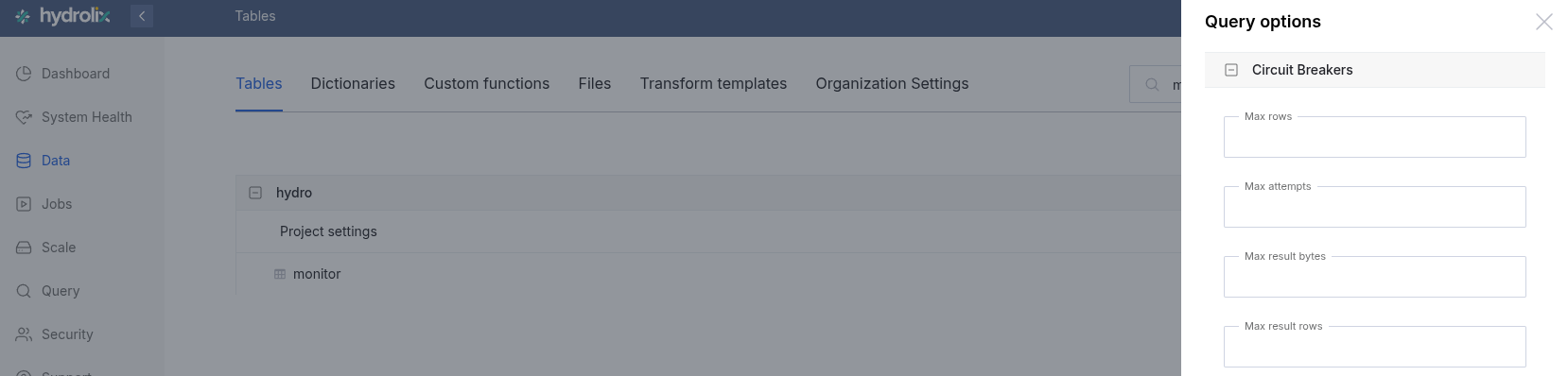
The changes to the query options go into effect immediately.